At a Glance:
The Foundation: Choosing the Right Infrastructure
Step-by-Step: How to Set Up a Home Network
Securing the Smart Home Ecosystem
Proactive Maintenance: The Sentry Never Sleeps
When to Call the Professionals
Welcome to 2026, where your home is a digital ecosystem. From smart lights to connected kitchen appliances, everything is online. But with this connectivity comes a huge responsibility: how do you protect your digital sanctuary from online threats?
Building a resilient network isn't about buying a fancy gadget; it's about making smart choices. A simple password is no longer enough. Your home network is the central nervous system of your house. If it's exposed, everything is at risk. Real security comes from applying the latest home network security 2026 standards. This guide will show you how to achieve that peace of mind.
Create a Strong Home Network
Never struggle with a weak connection again. Contact Flanners to install a modern home network setup that provides strong speeds and a reliable connection for all your needs.
Home Networking SolutionsThe Foundation: Choosing the Right Infrastructure
Building a fortress starts with the bedrock. In 2026, the standard for high-performance houses has shifted toward mesh network systems. Gone are the days of a single router struggling to push a signal through three walls and a refrigerator. Modern solutions like Eero mesh Wi-Fi offer a seamless blanket of coverage that adapts to the environment.
For peak reliability and a truly "bulletproof" setup, consider these upgrades:
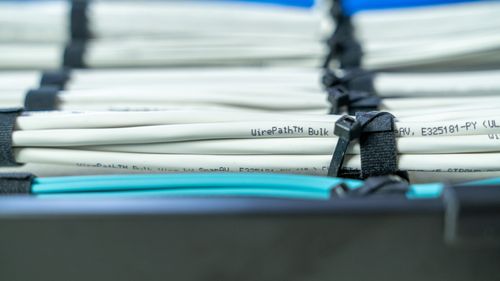
- Ethernet Backhaul: Connecting mesh nodes with physical cables is a game-changer. This drastically reduces latency and ensures that Wi-Fi 7 security features operate at full capacity without interference.
- Enterprise-Grade Hardware: For those seeking the highest level of performance, Araknis networks provide enterprise-grade hardware that offers a significant step up from typical residential systems.
Learn more: Top 3 Places to Install a Mirror TV
Step-by-Step: How to Set Up a Home Network
The journey to a secure home network starts with a proper initial setup. Many people simply plug in their router and forget it, but building true digital resilience requires a more deliberate approach.
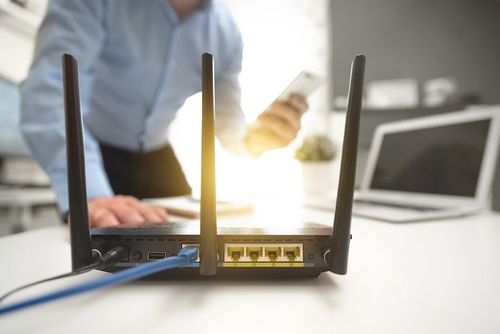
- Placement and Power: Start by positioning the primary router in a central, elevated location. It's important to keep it away from large metal objects or appliances like microwaves that can cause signal interference.
- Network SSID Configuration: When you're setting up the network SSID configuration, choose a name that doesn't personally identify you or your address. Naming your network "The Smith Family" or "123 Maple St" can attract unwanted attention and targeted attacks.
- Authentication: Always select WPA3 encryption during setup. This is the current gold standard for home network security 2026, scrambling the data transmitted over your network to make it unreadable to anyone trying to intercept it.
- Hardware Firewalls: To go a step further, consider implementing hardware firewalls. These are dedicated devices that sit between your internet connection and your internal network, acting as a vigilant guard that inspects all incoming and outgoing data for threats.
Learning how to set up a home network is about more than just getting full "bars" on your devices; it's about creating a safe digital environment for your family. As households add more connected devices each year, getting the setup right from the beginning is key to preventing frustrating slowdowns and avoiding serious security vulnerabilities down the road.
Learn more: Sony vs Samsung TVs: Which Is Better?
Securing the Smart Home Ecosystem
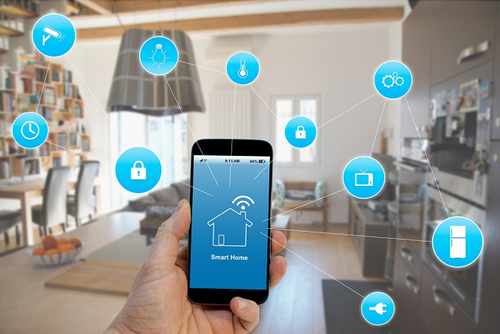
The modern home is filled with "smart" gadgets that are often surprisingly "dumb" when it comes to security. From smart fridges to connected thermostats, smart home integration introduces both convenience and new vulnerabilities. This makes IoT device security a critical component of any home network strategy.
A wise approach is to treat these devices as if they are already compromised. One of the most effective ways to do this is through network segmentation.
- Utilize a Guest Network: By creating a guest network setup, you can isolate your smart toaster from the laptop used for banking. If a hacker finds a vulnerability in the toaster's software, they are contained within that "guest" silo and cannot access your private files.
- Implement Zero Trust Principles: The concept of zero trust networking has moved from the corporate office into the living room. This philosophy assumes no device is automatically trustworthy. By requiring strict identity verification for every connection attempt, the risk of a single infected device compromising the entire network is significantly reduced.
These simple habits are a core part of how to set up a home network that balances modern convenience with long-term digital protection.
Learn more: What Is a Powered Subwoofer & Do You Need One?
Proactive Maintenance: The Sentry Never Sleeps

Setting up your network is just the start. The digital world is constantly shifting, with hackers always on the lookout and technology always advancing. This makes router firmware updates a critical part of your digital maintenance. Think of these updates as patching up your armor, fixing vulnerabilities before they can be exploited. If you're serious about how to set up a home network for long-term security, your maintenance routine must be as robust as your initial setup.
The 2026 Home Network Security Checklist
To keep your network secure, follow this regular checklist:
- Change Admin Credentials: Ditch the default "admin" username and "password." Create something unique and strong.
- Disable WPS: Wi-Fi Protected Setup (WPS) is a known security risk. It's best to turn this feature off in your router's settings.
- Verify Encryption: Check that your network is using the latest WPA3 encryption for the strongest protection.
- Check Connections: Regularly use a network scanning tool to see a list of all devices connected to your network. If you spot something you don't recognize, investigate.
- Update Everything: Make it a habit to check for router firmware updates at least once a month.
- Guest Isolation: Make sure your guest network setup is truly separate and does not allow access to your personal files or primary devices.
When to Call the Professionals

Sometimes, the complexities of a modern digital environment are more than a weekend DIY project can handle. For larger homes or those with complex smart home integrations, a professional network installation is often the most secure path forward. Experts can design and implement a robust system that you can rely on.
Consider calling a professional if you need help with:
- Advanced Hardware: Implementing specialized hardware like Araknis networks, which requires expert configuration.
- Optimized Routing: Setting up an efficient ethernet backhaul to ensure fast, stable connections throughout your home.
- Hardware Firewalls: Configuring advanced firewalls that offer more protection than standard consumer-grade options.
Companies like Flanner's Home Entertainment specialize in these high-end installations. They understand that a home network today needs to be as reliable as the power grid. Working with professionals ensures that the network SSID configuration is done right the first time and that all Wi-Fi 7 security features are properly activated, giving you a secure and stable foundation for your digital life.
Final Thoughts: The Power of a Protected Home
At the end of the day, a secure network is about more than just data; it's about protecting the moments that matter. It's the ability to work from home without fear, let children explore the internet safely, and enjoy a movie night without a single lag spike. Mastering how to set up a home network isn't just about connecting devices; it's about building a resilient foundation for your digital life.
Success in the digital age requires a willingness to learn and the discipline to maintain your setup. Is your house ready for the future? With the right tools and a solid plan, the answer can be a resounding "yes."
Key elements for a secure home include:
- Utilizing a reliable system like Eero mesh Wi-Fi for consistent coverage.
- Implementing a strong plan for IoT device security to protect smart appliances.
- Adopting a zero trust networking approach, where no device is trusted by default.
Take the first step today. Secure your gateway, and build a safer digital world for you and your family. For your home automation needs in the Wisconsin area, let Flanner's Home Entertainment take care of everything.
FAQ: Common Questions About Home Networking
Security threats evolve quickly, so check for router firmware updates monthly. Enable the "auto-update" feature on modern routers to get the latest security patches immediately. Regular updates fix security vulnerabilities and can improve performance. If your hardware is over five years old, consider upgrading to a model that still receives active support.
DIY systems like Eero mesh Wi-Fi are easy to use, a professional network installation provides superior coverage and security. Experts conduct site surveys to eliminate dead zones, install high-quality Araknis networks equipment, and configure complex hardware firewalls. We also properly wire your ethernet backhaul for maximum speed, essential for 8K streaming and gaming. For large homes or those with many smart devices, an expert setup offers significant peace of mind.
Wi-Fi 7 security introduces key enhancements like Multi-Link Operation (MLO), which manages multiple frequency bands at once. This improves connection stability and reduces the risk of interception. Wi-Fi 7 also requires WPA3 encryption, offering stronger protection against password-guessing attacks. Its wider channels and efficient data encoding create a faster, more resilient network, providing a solid foundation for learning how to set up a home network ready for the future.
A main network provides complete access to your internet and all connected devices, such as printers, computers, and smart home gadgets. In contrast, a guest network serves as a separate, isolated channel. It allows visitors to access the internet while preventing them from communicating with your local devices or viewing sensitive files.
Why Trust Flanners Home Entertainment?
When you choose Flanner’s Home Entertainment, you're trusting a deeply rooted, family-owned legacy that dates back to 1891 a company that has evolved from a piano and sheet-music shop into a premier specialty retailer of high-end audio, video, and smart-home systems. With showrooms in West Allis and Northshore Grafton, Flanner’s combines decades of expertise and personalized service. Its team includes members with 15–30 years of industry experience to design and install tailored home theater, multi-room audio, networking, and control solutions. Over its more than 130-year history, the business has maintained its commitment to craftsmanship, reliability, and genuine customer relationships, making every system feel as thoughtfully built as the business itself.