
Watching a fast-paced football game on a premium television often ends in frustration when the players turn into a blurry, stuttering mess across the screen. You paid for top-tier picture quality, yet rapid action sequences or quick camera pans look fuzzy and disjointed. This common visual stutter happens because of the hidden rendering methods your television uses to decode incoming broadcast signals. Understanding 1080i vs 1080p is the best way to figure out why your current display struggles with rapid motion and how to fix it.
Upgrade Your Viewing Experience Today
Stop settling for blurry sports broadcasts and discover our premium lineup of high-definition displays.
Our appliance and electronics experts have untangled this technical jargon so you can get back to enjoying crystal-clear entertainment. At Flanners Home Entertainment, we guide local customers to the perfect display for their exact viewing habits every day. This guide breaks down the mechanical differences between interlaced and progressive scanning, compares how they handle high-speed motion, and provides clear recommendations to help you choose the right television format for your living room.
Key Takeaways
- Scanning Mechanics: Interlaced screens draw alternating lines to build an image, while progressive screens render the entire frame sequentially.
- Motion Clarity: Progressive scanning offers vastly superior performance for fast-paced content like sports and gaming by eliminating visual artifacts.
- Identical Pixel Count: Both video formats share the exact same technical resolution, but progressive scanning delivers a noticeably better actual viewing experience.
The Core Difference Between 1080i and 1080p

The letters attached to these numbers define exactly how your television builds the image on the screen. The "i" stands for interlaced, while the "p" stands for progressive. This distinction between interlaced vs progressive scan dictates the mechanical rendering method happening behind the glass.
Interlaced Scanning
An interlaced signal draws the image in two separate passes. It first displays all the odd-numbered horizontal lines, then immediately flashes all the even-numbered lines. These alternating fields flash so rapidly that the human eye perceives them as a single cohesive image, though this splitting can cause a slight perceived flicker.
Progressive Scanning
A progressive signal draws every single line of the image sequentially from top to bottom. It creates the entire frame in one solid, uninterrupted pass. This sequential rendering provides a highly stable image that immediately feels smoother to the viewer.
Do 1080i and 1080p Have the Same Resolution?
Many buyers incorrectly assume that the interlaced format possesses a lower vertical resolution than its progressive counterpart. Both formats actually share the exact same static pixel count of 1920x1080 pixels. If you pause a completely still image on both displays, the level of detail looks completely identical.
The difference in effective visual quality comes down to how those pixels arrive on the screen over time. A concept called frame rate vs field rate explains this discrepancy. Interlaced signals deliver 60 half-frame fields per second, while progressive signals deliver 60 full frames per second. The progressive method pushes twice as much visual data to the screen every second, resulting in a significantly clearer image.
Which Format is Better for Sports and Gaming?

Progressive scanning is the definitive winner for fast-moving visual content. When you evaluate 1080i vs 1080p for sports, the interlaced format simply cannot keep up with rapid camera panning or fast-moving athletes. The split-second delay between drawing the odd and even lines creates a visual tearing effect known as combing.
This tearing manifests as severe motion blur and flickering whenever objects move quickly across the screen. The exact same problem plagues fast-paced video games. When looking at 1080i vs 1080p gaming, the progressive format is mandatory for competitive play.
If you are building a dedicated game room or home theater, you must choose a television that natively supports a high-speed progressive format. This guarantees your high-action entertainment remains sharp, vibrant, and free of distracting visual artifacts.
Why Do Broadcasters Still Use 1080i?

You might wonder why older interlaced formats exist at all if progressive scanning offers such a clear advantage. The answer comes down to the massive data infrastructure required for modern broadcast television resolution. Cable providers and satellite networks must transmit enormous amounts of data to millions of homes simultaneously.
Interlaced scanning requires roughly half the bandwidth of progressive scanning. Sending only half the image data at a time creates massive bandwidth savings for the network provider. This allows them to push full HD video format channels over legacy cable lines and crowded airwaves without crashing their transmission networks.
How Modern TVs Handle 1080i Signals Today
Modern flat-screen televisions are built entirely around progressive display technology. When your new 4K television receives an older interlaced broadcast from your local cable box, it has to translate that signal on the fly. The television uses internal processing software to perform a task called deinterlacing.
During deinterlacing, the television stitches the alternating odd and even fields together to create a single solid frame before displaying it. High-quality televisions handle this translation incredibly well, actively smoothing out the image to hide imperfections. However, a native progressive signal will always look superior because it requires no heavy software processing.
Our installation experts always check the internal output settings on a customer's cable box, as many legacy boxes default to an interlaced output and must be manually switched to progressive in the main menu to get the best possible picture.
1080i vs 1080p Specification and Performance Comparison
| Feature | 1080i Performance | 1080p Performance |
|---|---|---|
| Scanning Method | Alternating odd and even lines. | Sequential full frame rendering. |
| Bandwidth Requirement | Requires lower transmission bandwidth. | Requires high transmission bandwidth. |
| Best Use Cases | Legacy cable and satellite broadcasts. | High-definition gaming and streaming. |
| Motion Smoothness | Prone to blurring during fast action. | Exceptionally smooth motion clarity. |
| Frame/Field Delivery | Delivers 60 alternating fields per second. | Delivers 60 complete frames per second. |
The Pros and Cons of 1080i vs 1080p
Understanding the historical value and modern trade-offs of both video formats helps you navigate today's complex television market. While interlaced broadcasting built the foundation for high-definition television, progressive rendering stands out as the definitive modern standard for display technology.
Pros
Exceptional Motion Clarity
Progressive rendering eliminates visual tearing and motion blur during fast-paced sports broadcasts.
Superior Gaming Performance
Delivering complete frames sequentially prevents input lag and visual stuttering during intensive video game sessions.
Zero Translation Processing
Native progressive signals require no internal deinterlacing by your television processor.
Modern Compatibility
Almost all modern streaming services and media players natively output progressive signals.
Cons
High Bandwidth Demands
Progressive formats require significantly more internet or transmission bandwidth to stream effectively without buffering.
Broadcaster Limitations
Many local cable companies still do not support true progressive delivery over their legacy network lines.
Recommended TVs for Flawless High-Definition Viewing
Finding a television that beautifully handles high-speed progressive rendering transforms your entire entertainment space. We highly recommend these premium displays for their exceptional processing power and vivid picture clarity.
SunBriteTV Pro Series Silver 49" LED Direct Sun Outdoor HDTV
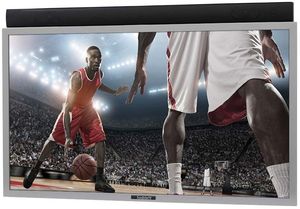
Taking your high-definition sports viewing outdoors requires a television built specifically for the elements. This rugged outdoor display features incredible brightness capabilities to cut through direct afternoon sunlight while maintaining an exceptionally crisp progressive image. The advanced internal processor smoothly handles fast-paced action sequences, keeping the football in sharp focus as it flies across the screen. Built to withstand extreme temperatures and harsh weather conditions, this durable unit delivers premium home theater visual performance right to your backyard patio. Our installation teams regularly mount this exact model for families wanting the ultimate outdoor entertainment setup.
Top Features
- Direct Sun Rating: Features an ultra-bright display specifically engineered to remain clearly visible in direct outdoor sunlight.
- Weatherproof Exterior: Built with a durable protective casing that safely repels rain, snow, dust, and insects.
- Temperature Resistance: Operates perfectly in extreme weather ranging from blistering summer heat to freezing winter conditions.
Sony BRAVIA 3 85" 4K Ultra HD LED Smart TV
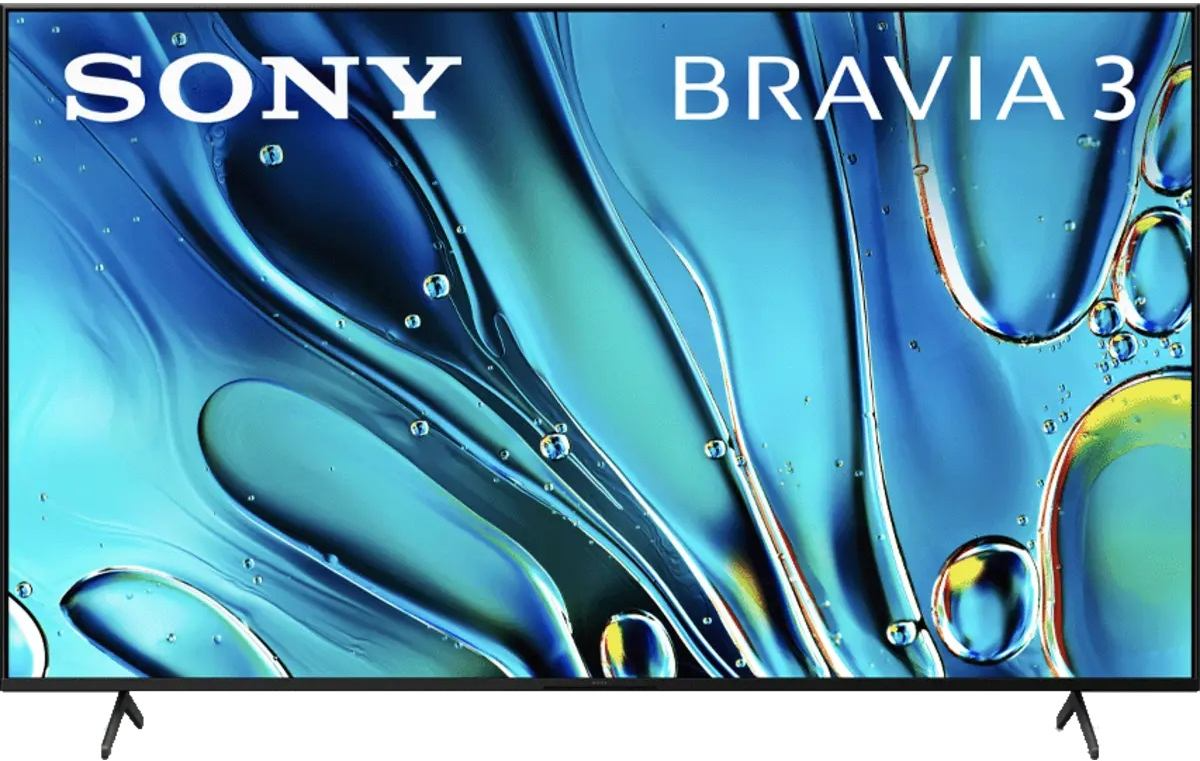
Upgrading your main living room demands a massive display capable of spectacular image processing and expansive screen real estate. This oversized television uses an elite internal processor to instantly deinterlace legacy cable signals, transforming standard broadcasts into remarkably clear, smooth visuals. The progressive rendering capabilities truly shine during intense gaming sessions and rapid action movies, entirely eliminating distracting motion blur. This massive display acts as the ultimate centerpiece for a dedicated home theater, offering incredibly vibrant color reproduction and deep, immersive contrast levels for every single viewer.
Top Features
- Elite Image Processing: Features a powerful internal processor that smoothly upscales and clarifies incoming television signals.
- Massive Viewing Area: Provides an expansive cinematic experience perfect for hosting major sporting events and movie nights.
- Vibrant Color Depth: Delivers exceptionally rich, lifelike color reproduction for a truly premium viewing experience.
Read more:
- Comparing Popular TV Sizes Side-by-Side
- Best Sony Bravia TVs for Movies, Sports & Gaming: 2026 Buyer's Guide
- Types of LED TVs Explained: LED vs OLED vs QLED
Frequently Asked Questions about 1080i vs 1080p
The 720p format is actually much better for watching live sports. The progressive scanning method handles fast motion smoothly, whereas interlaced scanning struggles with the rapid camera movements found in athletic broadcasts.
Yes, your modern television uses internal processing to combine the alternating fields into a solid image. This process, called deinterlacing, allows the screen to display the older broadcast format without obvious visual tearing.
The television will struggle to display the fast-paced graphical rendering, resulting in noticeable screen tearing and severe motion blur. The display simply cannot refresh its alternating lines fast enough to keep up with modern gaming consoles.
Many legacy cable providers default to this setting to match the lower bandwidth requirements of their transmission networks. You can usually fix this by entering the main settings menu on your cable box and manually selecting a progressive output.
Yes, the interlaced format uses roughly half the data bandwidth compared to a full progressive stream. However, almost all modern streaming platforms have completely abandoned interlaced formats in favor of highly compressed progressive streams.
No, a new television cannot completely eliminate the foundational flaws of an interlaced broadcast source. While modern internal processors do an excellent job smoothing the image, true motion clarity requires a native progressive signal from the source itself.
Upgrade Your Setup with the 1080i vs 1080p Winner
The clear superiority of progressive scanning makes it the definitive choice for modern gaming, streaming, and home theater setups. While interlaced broadcasts still exist in the legacy cable space, upgrading to a premium progressive display guarantees crisp, tear-free visuals for your favorite high-speed entertainment. Step up to an entirely new tier of home media by shopping our premium television selection at Flanners Home Entertainment. Our local experts provide dedicated showroom guidance, professional installation services, and personalized customer care that big-box stores simply cannot match.
Why Trust Flanners Home Entertainment?
When you choose Flanner’s Home Entertainment, you're trusting a deeply rooted, family-owned legacy that dates back to 1891 a company that has evolved from a piano and sheet-music shop into a premier specialty retailer of high-end audio, video, and smart-home systems. With showrooms in West Allis and Northshore Grafton, Flanner’s combines decades of expertise and personalized service. Its team includes members with 15–30 years of industry experience to design and install tailored home theater, multi-room audio, networking, and control solutions. Over its more than 130-year history, the business has maintained its commitment to craftsmanship, reliability, and genuine customer relationships, making every system feel as thoughtfully built as the business itself.