
The movie looks sharp in the store, but your own room has a bigger screen and light spilling in from the hallway. Choosing a 4K projector or an 8K-capable model means looking beyond the resolution label. Screen size, seating distance, and room conditions all affect the picture you will actually see.
Flanner’s Home Entertainment can help you compare the complete setup rather than one number on the box. This guide explains native resolution, pixel shifting, source content, and installation choices. You can then decide where your budget will make the most useful difference in your home theater.
Build a Better Big-Screen Setup
Compare projectors with Flanner’s Home Entertainment and get local help matching the screen, room, and installation to your viewing goals.
Key Takeaways
- Resolution is one factor: Contrast, brightness, and room lighting affect the picture alongside pixel count.
- Know the technology: Native resolution and pixel-shifting output are different specifications, even when two products use the same resolution label.
- Match your sources: Check the formats you actually watch or play instead of buying only for a higher number.
- Plan the installation: Screen size, throw distance, and mounting position need to work together.
4K vs 8K Projector Resolution Explained
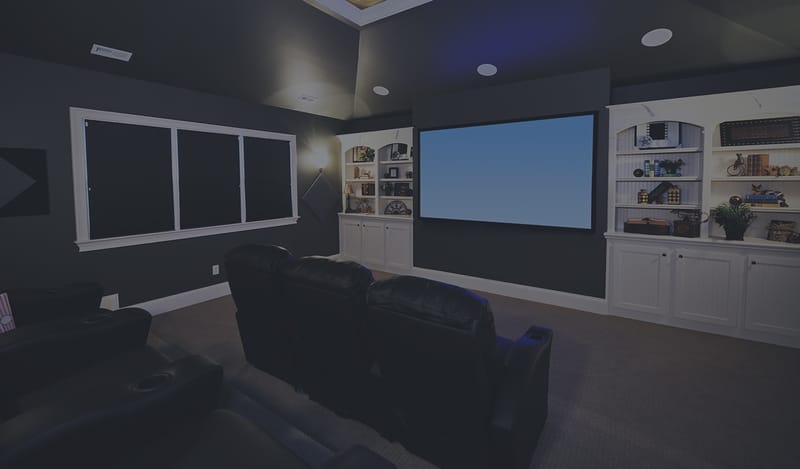
A 4K projector displays about 8.3 million pixels (3840 x 2160), while an 8K projector displays about 33 million pixels (7680 x 4320), four times as many.
Native Resolution and Pixel Shifting
Not all projectors create those pixels the same way:
- Native 4K projectors use imaging panels with native 4K resolution; exact panel dimensions vary by model.
- Pixel shift or e-shift projectors rapidly shift a lower resolution image to create a higher resolution picture on screen.
There is no single screen size that makes 8K necessary. Compare resolution alongside seating distance, source quality, contrast, and room lighting.
Start with the distance from the lens to the screen, then use the model’s throw calculator before planning a ceiling mount.
When You Can Actually See the Difference
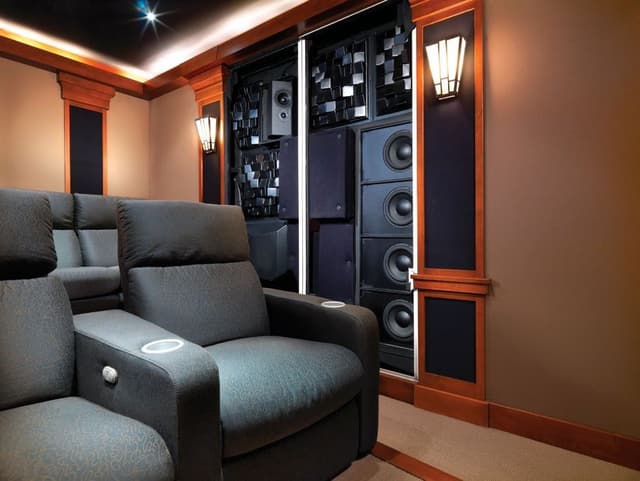
Resolution matters most when screens are very large and viewers sit close:
- Smaller screens: Compare the picture from your normal seat rather than judging close to the screen.
- Closer seating: Fine detail may be easier to see, but source quality and vision also affect the difference.
- Larger screens: Compare brightness, contrast, and resolution together at your intended viewing distance.
The closer you sit and the larger the screen, the more resolution matters.
4K Projector vs 8K Projector Comparison
| Factor | 4K Pixel Shift | Native 4K | 8K e-shift or Pixel Shift |
|---|---|---|---|
| Resolution | 4K on screen | 3840 x 2160 | 8K on screen |
| Pixel count | About 8.3 million on screen | About 8.3 million native | About 33 million on screen |
| Technology type | Pixel shifting | Native chip | Advanced pixel shifting |
| Screen-size planning | Check model brightness and throw distance | Check model brightness and throw distance | Compare at your intended size and seating distance |
| Content availability | Abundant | Abundant | Limited native 8K |
| Typical price tier | Mid | Upper | Premium |
| Best for | Most home theaters | Enthusiast theaters | Large dedicated theaters |
8K Content Availability Today
Native 8K movies and shows are still limited. Most 8K projectors rely on upscaling, which uses image processing to enhance 4K and HD content. Streaming services typically deliver content in 4K or lower, and streaming compression also affects image quality. Some gaming and specialty content supports higher resolutions, but for most viewers, 4K content will remain the primary source for the foreseeable future.
4K Projector to 8K Upgrade: Pros and Cons
Upgrading from a 4K projector to an 8K model can make sense for some theaters, but it's not the right move for everyone.
Pros
Potential detail gains:
A higher-resolution image may reveal more detail in a suitable setup, with the result depending on the source, screen, seating, and projector.
More processing options:
An upgrade may offer different upscaling controls to compare with familiar 4K material during a demonstration.
Source compatibility:
A model that accepts your intended higher-resolution signal can accommodate that source when the rest of the signal path is compatible.
Broader model upgrades:
A newer projector may also change contrast, brightness, or HDR handling, so compare those benefits separately from its resolution label.
Cons
Higher total cost:
Include any needed lens, mount, cabling, and installation work when comparing the upgrade with keeping your current projector.
Source limits:
Upscaling existing material does not turn it into content originally captured and delivered at a higher resolution.
Uneven visible benefit:
Extra resolution may make little practical difference from your usual seat if other picture-quality limits dominate.
Image Quality Factors Beyond Resolution
Resolution is only one part of picture quality. These factors often matter just as much:
- Brightness (lumens): Higher brightness helps in rooms with some ambient light.
- Native contrast: Deeper blacks create a more cinematic image.
- HDR tone mapping: Determines how well bright highlights and dark scenes are displayed.
- Color accuracy and gamut: Affects how natural and vibrant images look.
- Laser light sources: Offer long lifespan and consistent brightness.
Sony BRAVIA, JVC Procision, and Epson projectors each take different approaches to delivering these qualities.
Room, Screen, and Installation Considerations
- Light control: Dark rooms maximize contrast and color.
- Screen material and gain: The right screen improves brightness and uniformity.
- Throw distance: Determines where the projector must be mounted for your screen size.
- Ceiling mounting: Keeps projectors out of the way and properly aligned.
- Professional calibration: Fine tunes color, brightness, and contrast for your room.
Should You Upgrade to an 8K Projector Now?
- Building a new dedicated theater with a very large screen: 8K is worth considering.
- You already own a quality 4K projector: Upgrading may offer limited benefits unless your screen is very large.
- Large screen enthusiast: 8K can deliver noticeable improvements.
- Budget focused buyer: A high quality 4K projector offers the best value.
4K and 8K Projectors at Flanner's
Compare these projectors to find the right fit for your home theater. Use the links to compare the exact models, then check the dimensions and features that matter for your space.
JVC Procision 8K Laser Projector with Engage Ceiling Mount (DLA-NZ900)
The JVC Procision DLA-NZ900 package combines an 8K-capable laser projector with an Engage ceiling mount. Its e-shift approach makes the distinction between native imaging chips and displayed resolution worth understanding before you compare it with a 4K model. The included mount is useful to note when planning the installation budget, but mounting position still depends on your room and screen. Consider this package for a dedicated theater project where you can compare picture performance, source compatibility, and the complete installation rather than resolution alone.
Top Features
- 8K e-shift resolution: Check what the model accepts and what it puts on screen; those specs can differ.
- Laser light source: Compare the manufacturer’s rated light-source life and brightness for your room.
- Deep native contrast: Compare bright and dark scenes in lighting similar to your room.
- Engage ceiling mount included: Measure the installation area and follow the mounting instructions for this model.
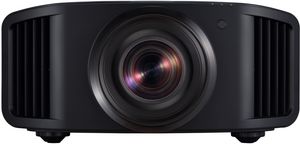
JVC Procision 8K Laser Projector with Engage Ceiling Mount (DLA-NZ800)
The JVC Procision DLA-NZ800 also pairs an 8K-capable laser projector with an Engage ceiling mount. It offers another point of comparison within the same family, so the decision should come from the exact specifications and a suitable demonstration rather than assuming all 8K labels mean the same picture. Your screen, viewing position, and room lighting remain part of that comparison. Review the package contents with Flanner’s, then plan the lens position and mounting location around the screen you intend to use in your home.
Top Features
- 8K e-shift resolution: Check what the model accepts and what it puts on screen; those specs can differ.
- Laser light source: Compare the manufacturer’s rated light-source life and brightness for your room.
- Ceiling mount included: Measure the installation area and follow the mounting instructions for this model.
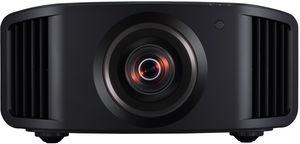
JVC Procision 4K Laser Projector (DLA-NZ700)
The JVC Procision DLA-NZ700 is a 4K laser projector for shoppers who want to compare a lower-resolution label with higher-resolution options on actual picture quality. Its laser light source is part of the design, while the room and screen still affect how the image looks. A dedicated theater comparison should include dark scenes and familiar content, not just bright demonstration footage. Consider this model when 4K is your target, and review installation requirements before deciding whether it works with an existing ceiling position or a new setup.
Top Features
- Native 4K resolution: Check what the model accepts and what it puts on screen; those specs can differ.
- Laser light source: Compare the manufacturer’s rated light-source life and brightness for your room.
- Excellent contrast: Compare bright and dark scenes in lighting similar to your room.
- Accurate color: Compare familiar video material using picture settings appropriate for your room.

Sony BRAVIA Projector 9 4K HDR Laser Projector
The Sony BRAVIA Projector 9 combines 4K HDR projection with a laser light source. It is worth comparing when you want to focus on the quality of the displayed picture instead of moving to an 8K label. HDR handling, room lighting, and screen choice all influence the result, so a demonstration with familiar scenes can be more useful than a resolution comparison alone. Include the installation and screen in your budget, and confirm the projector specifications match the sources and viewing setup you plan to use.
Top Features
- 4K HDR performance: Check what the model accepts and what it puts on screen; those specs can differ.
- Laser light source: Compare the manufacturer’s rated light-source life and brightness for your room.
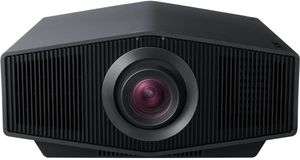
Sony BRAVIA Projector 7 4K HDR Laser Projector
The Sony BRAVIA Projector 7 offers a 4K HDR laser option within the BRAVIA projector range. It provides a useful comparison with the Projector 9 when you are weighing the complete system cost against the picture you want. Rather than assuming the higher-numbered model is necessary, compare both in a setup that resembles your planned room. Check the throw requirements and source connections before purchase, and leave room in the budget for the screen and installation details that affect everyday viewing just as much as the projector.
Top Features
- 4K HDR laser projection: Check what the model accepts and what it puts on screen; those specs can differ.
- Vivid color: Compare familiar video material using picture settings appropriate for your room.
- Reliable laser light source: Compare the manufacturer’s rated light-source life and brightness for your room.

Epson Pro Cinema LS12000 4K PRO-UHD Laser Projector
The Epson Pro Cinema LS12000 uses 4K PRO-UHD projection with a laser light source and pixel-shifting technology. That makes it a useful model for comparing displayed detail with native-panel resolution, because those terms describe different parts of the imaging process. Its suitability depends on your screen and room rather than a fixed screen-size cutoff. Bring details of your seating distance, light control, and video sources to the comparison, then judge familiar material alongside other projectors before deciding which approach gives you the picture you prefer.
Top Features
- 4K PRO-UHD pixel shifting: Check what the model accepts and what it puts on screen; those specs can differ.
- Laser light source: Compare the manufacturer’s rated light-source life and brightness for your room.
- Strong value: Compare the price with the features you plan to use most.

Epson QL7000 4K HDR Laser Projector
The Epson QL7000 is a 4K HDR laser projector to consider as part of a custom theater or media-room plan. Its fit depends on the complete installation, including lens selection, screen requirements, and the sources you intend to connect. Do not assume a projector package includes every part needed for your room; compare the complete configuration before comparing prices. Flanner’s can help you review those details so the mounting plan, screen, and equipment work together rather than leaving expensive installation decisions until after the projector arrives.
Top Features
- 4K HDR performance: Check what the model accepts and what it puts on screen; those specs can differ.
- Laser light source: Compare the manufacturer’s rated light-source life and brightness for your room.
- Large space versatility: Measure the space you have before comparing it with larger models.

Frequently Asked Questions About 4K projector
An 8K projector is worth it for very large screens and close seating. For most home theaters, a quality 4K projector offers better value.
Visible differences between 4K and 8K depend on screen size, viewing distance, eyesight, and source quality. Compare familiar content from your planned seating position.
There is no fixed minimum screen size that makes 8K worthwhile. Seating distance, content, and the projector’s other picture qualities also matter.
Native 8K content is limited. Most 8K projectors upscale 4K and HD content.
Native 4K projectors use chips with all 4K pixels, while pixel shift projectors rapidly shift images to create 4K or 8K detail on screen. Check how you plan to use it day to day before choosing.
Yes, 8K projectors use advanced processing to upscale 4K and HD content for a sharper image. Compare the relevant specifications rather than assuming every model is the same.
Why Trust Flanner’s Home Entertainment?
When you choose Flanner’s Home Entertainment, you're trusting a deeply rooted, family-owned legacy that dates back to 1891. The family-owned business began as a piano and sheet-music shop and now specializes in audio, video and smart-home systems. With showrooms in West Allis and Northshore Grafton, Flanner’s combines decades of expertise and personalized service.
Its team includes members with 15–30 years of industry experience to design and install tailored home theater, multi-room audio, networking, and control solutions. Over its more than 130-year history, the business has maintained its commitment to craftsmanship, reliability, and genuine customer relationships, making every system feel as thoughtfully built as the business itself.
Choose the Right 4K Projector or Make the Jump to 8K
A 4K projector can be the right choice when it fits your room, screen, and source material. Compare an 8K-capable alternative on the picture you can see, not just the resolution printed on the specification sheet.
Visit Flanner’s Home Entertainment for local guidance on your projector, screen, and professional installation. Bring your room dimensions and viewing plans so the comparison reflects the system you will use at home.